
Play our instore music radios with or withour internet connection with our new Android App

the app works only with active paid Audioblanket subscription
- Stream all stations 24/7 from any Android device
- Download stations and play offline (requires active paid plan in offline mode)
- Add stations to Favorites
- Sync stations with a click
How it works
- Download the official Audioblanket app from Google Play Store
- Open App and Pair app with your Audioblanket account
- Keep the app connected to the internet even if using offline mode to avoid service interruptions
How to pair App with Audioblanket account
- Open the official Audioblanket app in your android device
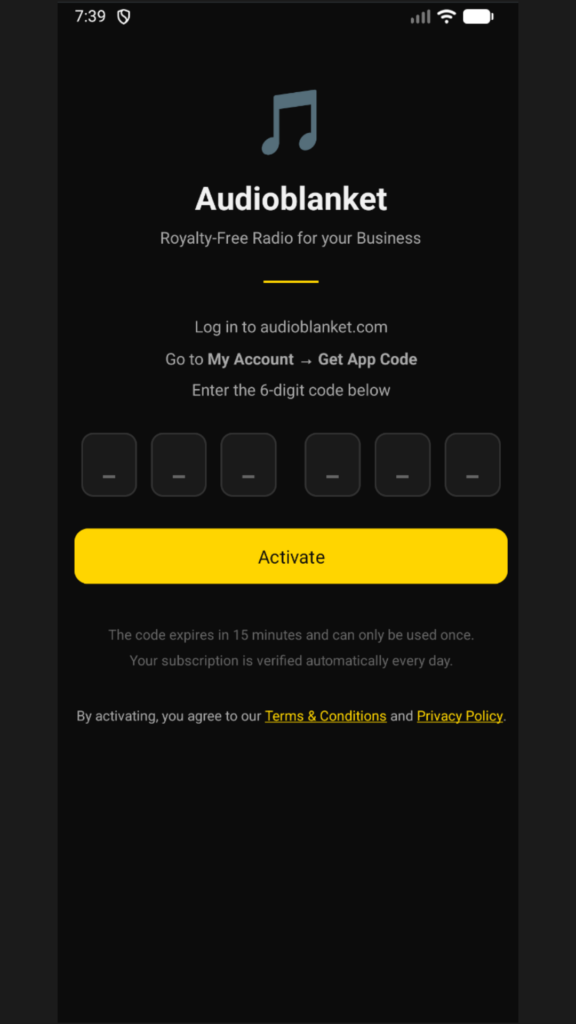
2. Go to your dektop or phone browser, login to your Audioblanket account and visit – https://audioblanket.com/en/get-your-app-code/
-requires an active paid Audioblanket plan – if your subscription is not active or you are in the free trial period you will not be able to generate the 6 digit code.
3. Create your 6 digit code and copy paste the code to your Android App.
5. Click Activate in your Android App screen.
4. Your app in now connected to your Audioblanket account